From: https://www.cnblogs.com/feng2039/p/16142051.html
远程登录虚拟机的时候
输完密码显示
Remote side unexpectedly closed network connection
因为net8自动获取总是改变,我就把net8改成了静态的
但改完后输密码时就报上述错误
sshd 防火墙 和windows上net8 都没问题
后来修改一下配置文件/etc/sshd/sshd_config
查找/UseDNS
会发现#UseDNS yes
改为 UseDNS no
就ok了
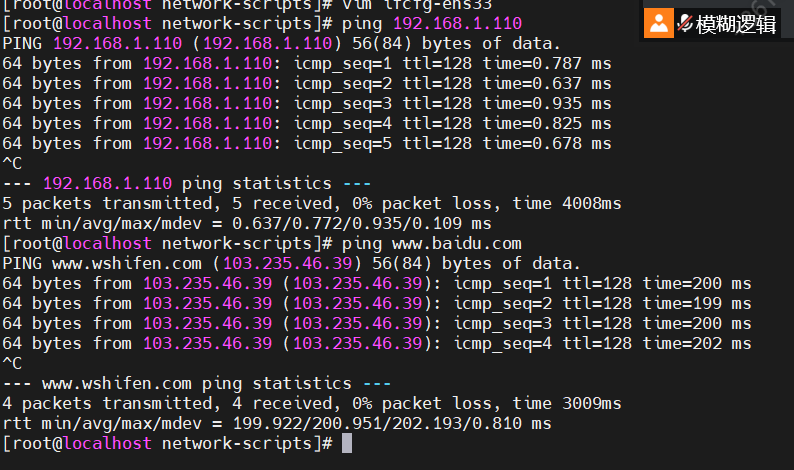
但是,这之后我突然发现虚拟机ping不通主机和外网
找了好多资料说vmnet8虚拟网卡和物理主机ip不在一个网段(错的,最后ping不通主机)
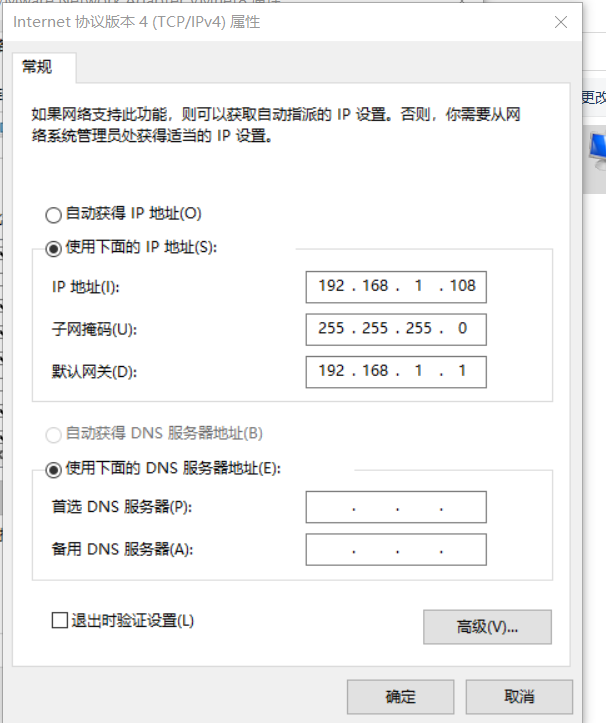
我的物理 ip为192.168.1.*
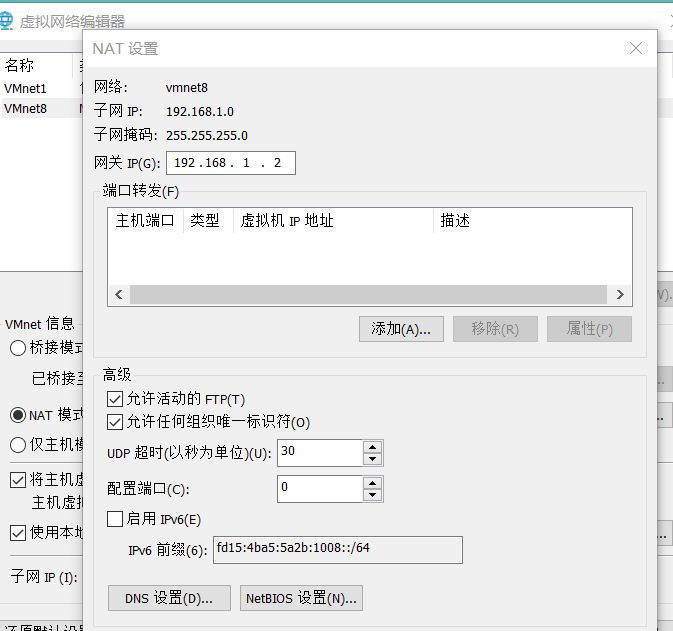
虚拟网络编辑器上net子网ip改为192.168.1.0 网关ip与vmnet8虚拟网卡网关再同一个网段

[root@localhost ~]# cd /etc/sysconfig/network-scripts/
vim ifcfg-ens33 改配置文件
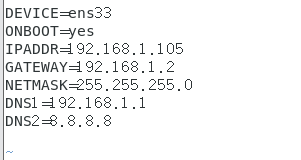
ip要与子网ip一个网段 网关子网掩码要与net一样
之后重启网卡就能ping通外网了

远程登录也没问题 主机能ping通虚拟机
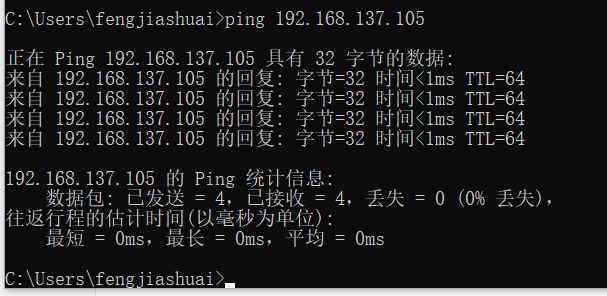
但ping主机却ping不通
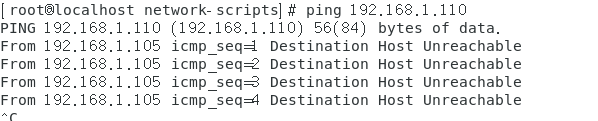
关防火墙和把这个打开后也不行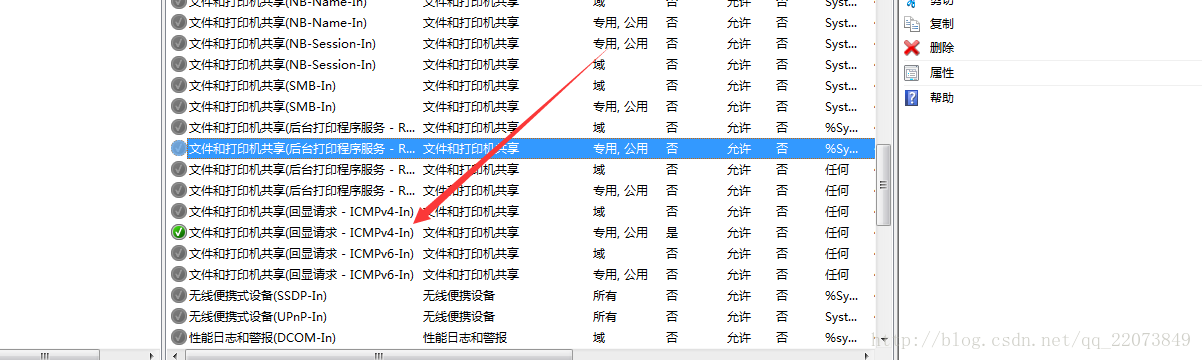
后来发现我一开始设net8虚拟网卡的时候没有设网关和sdn,如果有个本地连接要禁用,否找会导致虚拟网卡8设不上ip和掩码
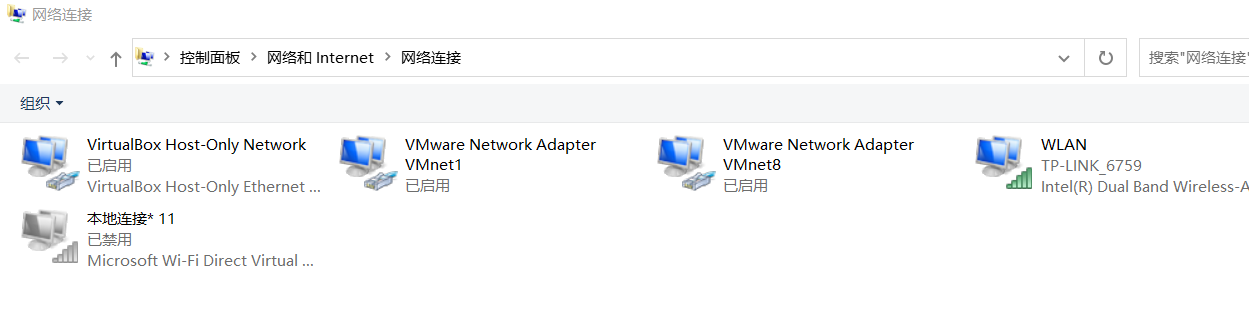
设ip为192.168.137.1(和你虚拟机的net在同一网段)
网关为虚拟机网关ip
dns也为虚拟机网关ip
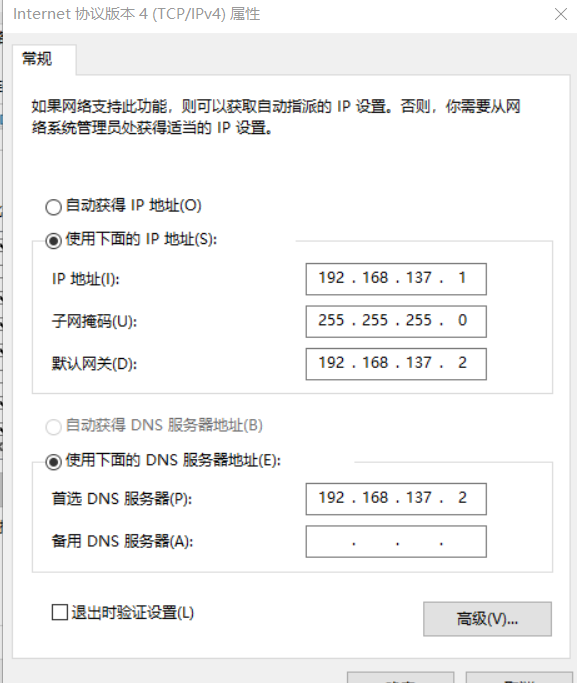
dhcp范围不能包含本机虚拟网卡ip和虚拟机网关ip
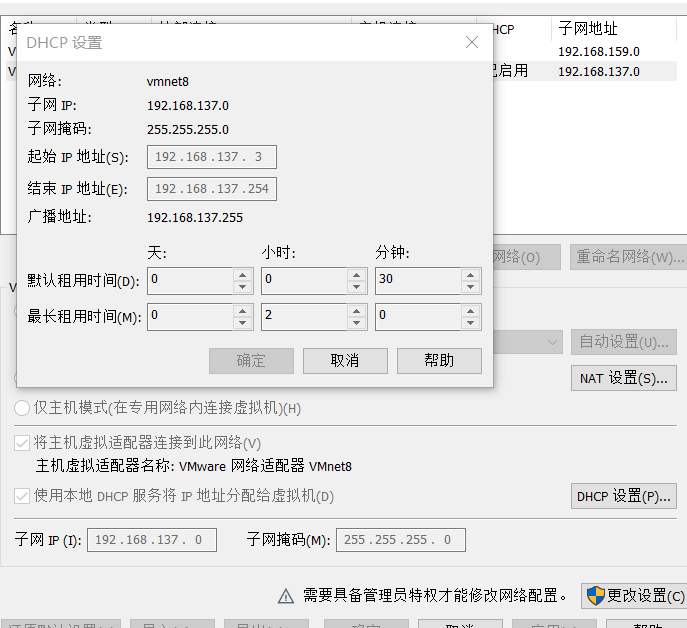
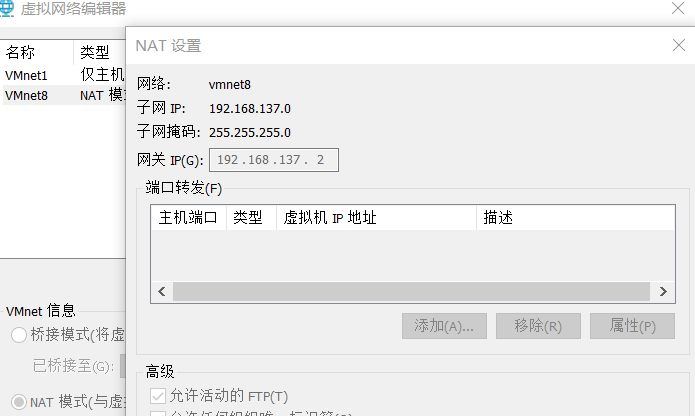
设置静态ip bootproto=static IP地址与网关ip在同一网段, 网关就设为网关ip onboot设为s 设置dns
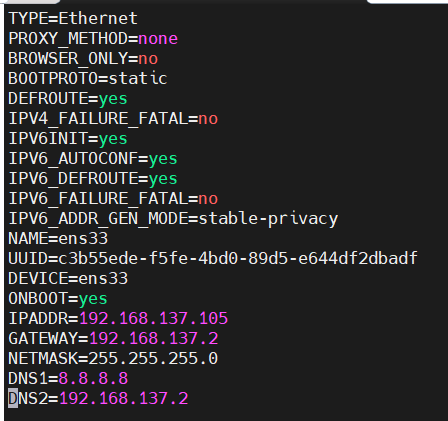
systemctl restart network重启网络就都通了